
App Lock lets users secure individual apps with a unique PIN code. This protects sensitive data from access by guests or secondary users, particularly when the primary user isn't in the vehicle.
App Lock operates independently of the profile lock. This design provides users the flexibility to secure specific sensitive apps without needing to lock the entire user profile.
App Lock is available as an unbundled app on Android 14 (API level 34) and higher. You can develop this app separately from the core Android Automotive OS (AAOS) platform. However, you must deploy the App Lock app as a platform-signed privileged app included with your platform image.
Users are informed about the App Lock feature when they install apps:
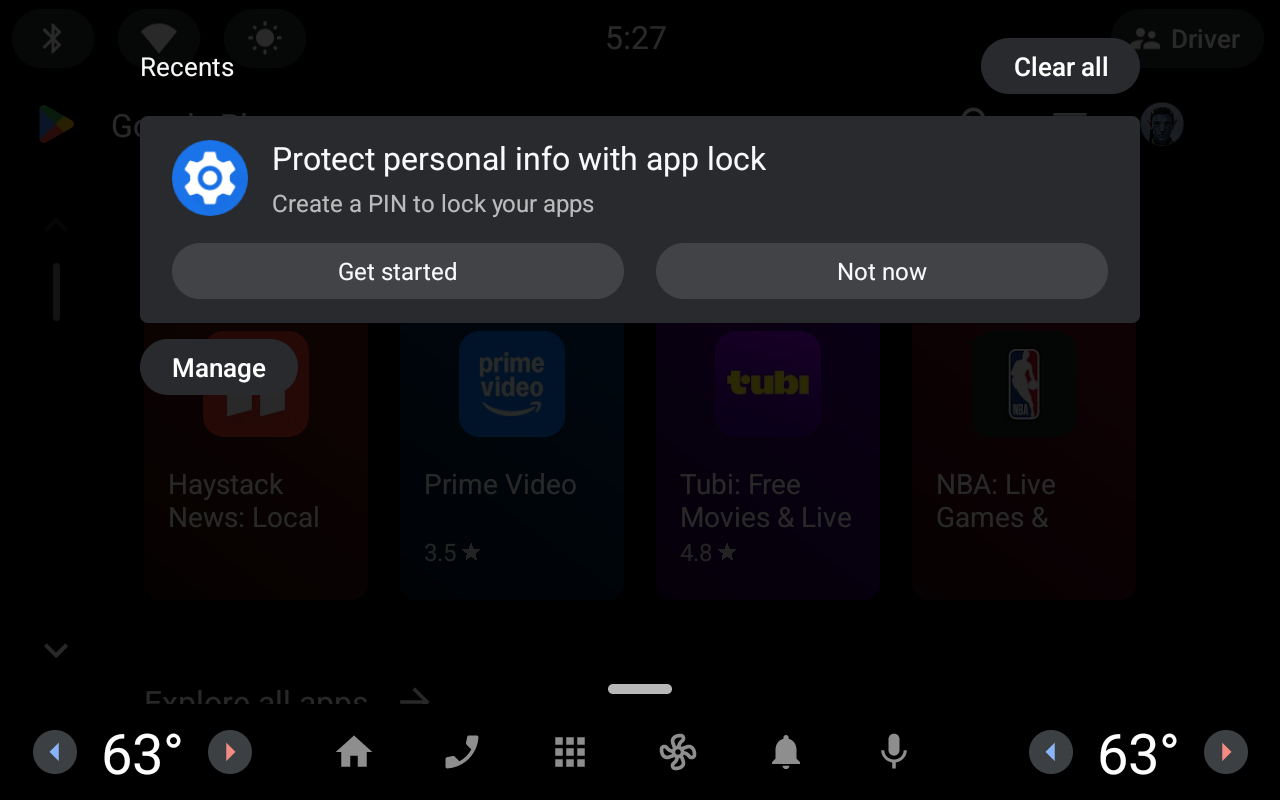
Figure 1. App Lock notification shown after an app is installed.
App Lock is disabled by default. Upon enabling the feature, the user is prompted to set a PIN. This PIN is subsequently required to access any app secured by App Lock:
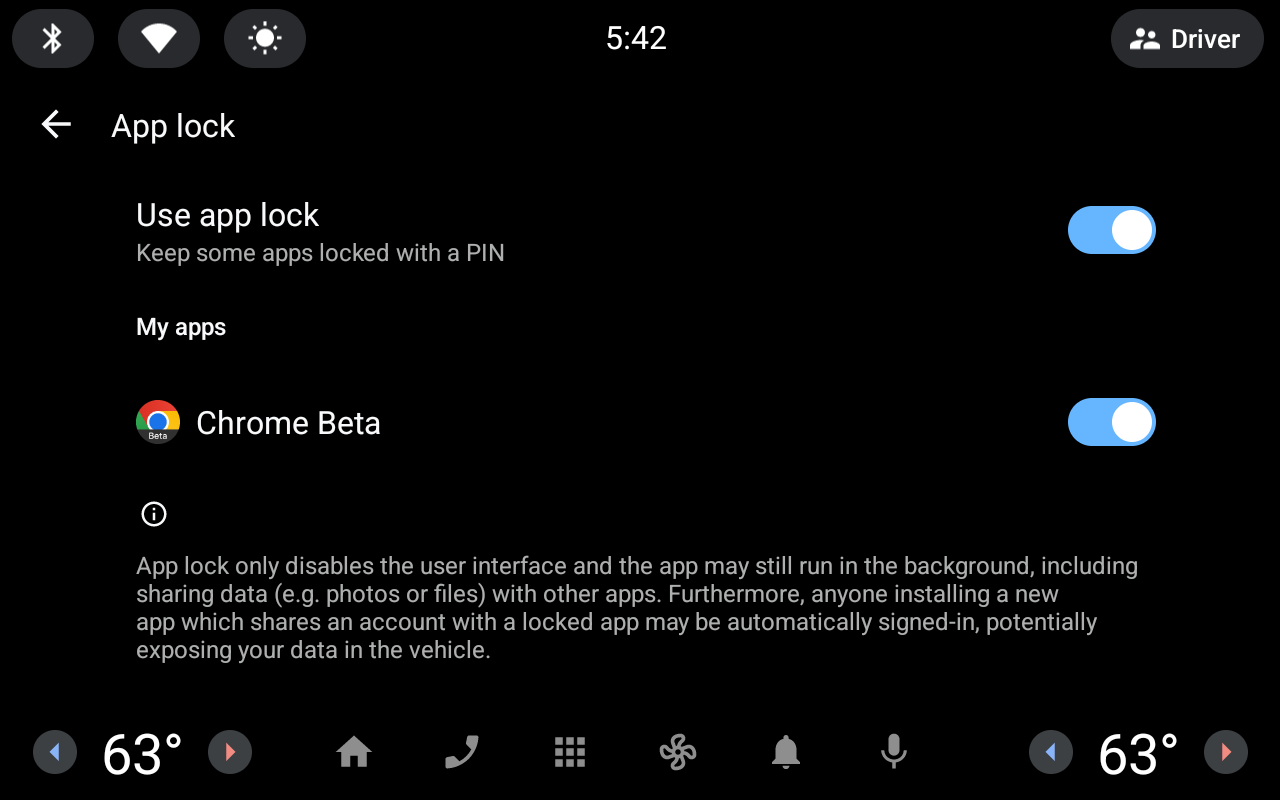
Figure 2. App Lock settings.
Upon attempting to open a locked app, the user is prompted to enter the App Lock PIN code:
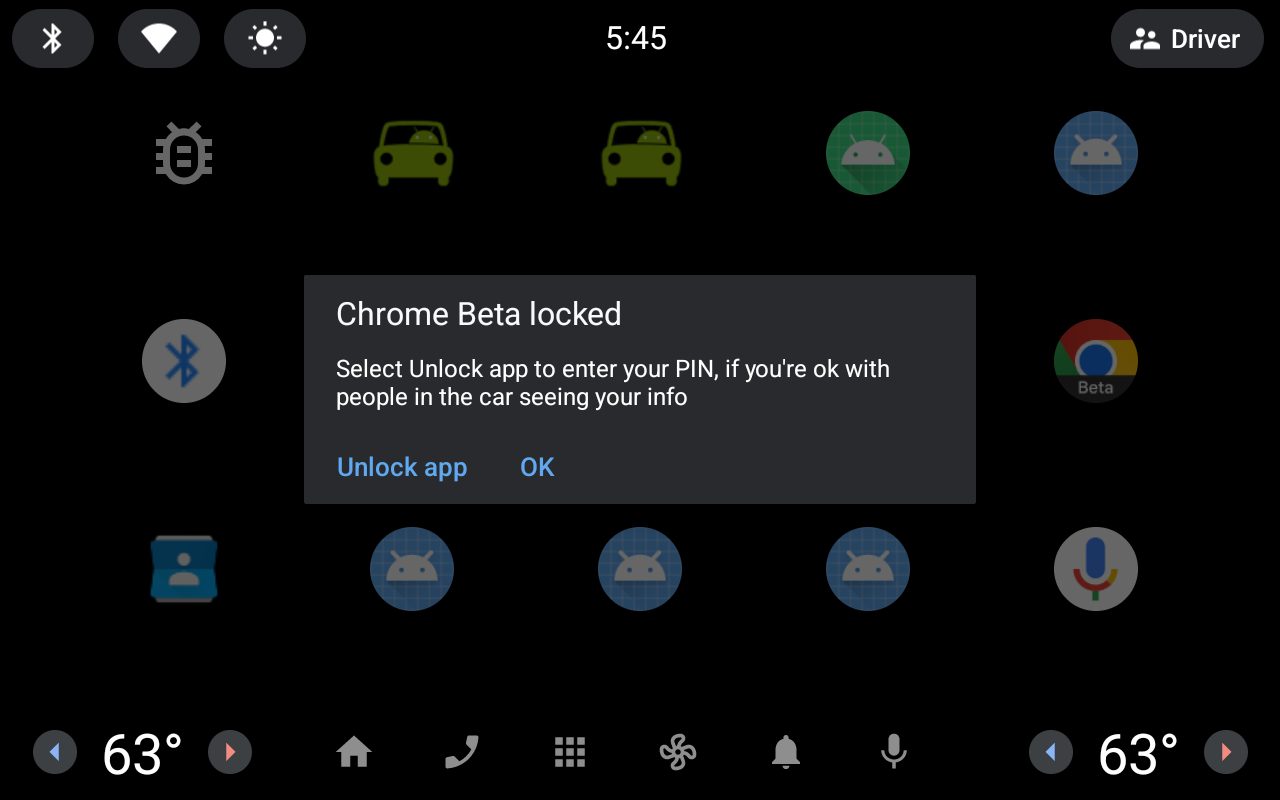
Figure 3. App Lock prompt when attempting to open a locked app.
Configure App Lock
To apply app configurations, edit res/values/config.xml:
<resources>
    <!--A customizable list of system packages that appear in the App Lock settings. -->
    <string-array name="system_lockable_packages">
        <item>com.android.car.calendar</item>
    </string-array>

    <!-- Config for allowing locking of media apps. -->
    <bool name="config_enableMediaAppsLocking">true</bool>

    <!-- Default account type used for recovering pin. -->
    <string name="config_recoveryAccountType" translatable="false">com.google</string>
</resources>
Customize lockable apps
By default, system apps aren't lockable. You can specify system apps to be
lockable using the system_lockable_packages config.
Core apps like Settings, navigation apps, and voice assistants can't be locked because doing so might cause unpredictable system behavior.
To enable App Lock for a system app, use the system_lockable_packages list:
<!-- List of system packages that appear in the App Lock settings. -->
<string-array name="system_lockable_packages">
    <item>com.android.car.calendar</item>
</string-array>
Configure media suspension
By default, media apps can be locked if the platform supports the Car Media App from Car-apps-release 17 or higher. If you don't support Car-apps-release 17 or higher, you can disable media app locking:
<!-- Config for allowing locking of media apps. -->
<bool name="config_enableMediaAppsLocking">false</bool>
Set up a recovery flow
Users might forget their App Lock PIN. Use config_recoveryAccountType to
customize the account type used for PIN recovery.
<!-- Default account type used for recovering pin. -->
<string name="config_recoveryAccountType" translatable="false">com.google</string>
App Lock resets the PIN and clears private app data when a user authenticates
with an account with the type that matches config_recoveryAccountType.
Style the reference code
To customize the reference code, use runtime resource overlays (RROs) to overlay
SensitiveAppLockOverlayableResources.
Because App Lock uses the Car UI Library, your existing Car UI Library RROs can also be applied to App Lock.
PIN pad keys use the same style as defined in styles.xml:
<style name="PinPadKey" parent="Widget.CarUi.Button">
    <item  name="android:textSize">@dimen/pin_pad_key_text_size</item>
    <item name="android:layout_height">@dimen/pin_pad_key_diameter</item>
    <item name="android:layout_width">@dimen/pin_pad_key_diameter</item>
    …
</style>
You can also define the PIN pad dimensions:
<resources>
  <!-- Default dimensions for PIN pad view -->
  <dimen name="pin_pad_title_text_size">44sp</dimen>
  <dimen name="pin_pad_subtitle_text_size">32sp</dimen>
  <dimen name="pin_pad_key_diameter">96dp</dimen>
  <dimen name="pin_pad_key_text_size">32sp</dimen>
  <dimen name="pin_pad_key_padding">0dp</dimen>
  <dimen name="pin_pad_row_spacing">10dp</dimen>
  <dimen name="pin_pad_col_spacing">12dp</dimen>
</resources>
Support suspend-to-RAM
To support suspend-to-RAM, you must add the App Lock service to
config_earlyStartupServices:
<string-array translatable="false" name="config_earlyStartupServices">
    <!-- App Lock Persistent Background Service -->
    <item>com.android.car.sensitiveapplock/.service.PersistentBackgroundService#bind=bind,user=foreground,trigger=userUnlocked</item>
</string-array>
Build configuration
App Lock requires system privileged permissions. Platforms that support App Lock
must also declare the system feature com.android.car.sensitive_app_lock.
Add the feature declaration and permissions to
com.android.car.sensitiveapplock.xml:
<permissions>
    <feature name="com.android.car.sensitive_app_lock"/>

    <privapp-permissions package="com.android.car.sensitiveapplock">
        <permission name="android.permission.GET_ACCOUNTS_PRIVILEGED" />
        <permission name="android.permission.QUERY_USERS" />
        <permission name="android.permission.MEDIA_CONTENT_CONTROL" />
        <permission name="android.car.permission.CAR_POWER" />
        <permission name="android.permission.POST_NOTIFICATIONS" />
    </privapp-permissions>
</permissions>
App Lock must be imported as a signed system app in the Android.bp file:
android_app_import {
    name: "AppLock",
    apk: "AppLock.apk",
    certificate: "platform",
    privileged: true,
    required: [
        "privapp-com.android.car.sensitiveapplock",
    ],
    optional_uses_libs: [
        "androidx.window.extensions",
        "androidx.window.sidecar",
        "com.android.oem.tokens", /* For Android 16+ */
    ],
}

prebuilt_etc {
    name: "privapp-com.android.car.sensitiveapplock",
    sub_dir: "permissions",
    src: "com.android.car.sensitiveapplock.xml",
    filename_from_src: true,
}
Because headless system user mode (HSUM) and Guest users don't support App Lock, you must enable App Lock only in secondary profiles. Use this configuration to enable the app for secondary users.
For example, in your preinstalled-packages.xml:
<config>
    …
    <!-- Config for the Sensitive App Lock app -->
    <install-in-user-type package="com.android.car.sensitiveapplock">
        <!-- Sensitive App Lock is only available to secondary users. Do not install app in Guest users. -->
        <install-in user-type="android.os.usertype.full.SECONDARY" />
    </install-in-user-type>
</config>